

Skip to content
DE Try for free
Shopware 6 Theme

Try ThemeWare® free for 30 days

Test the full feature set — no restrictions, no risk, no credit card required. Simply start via the Shopware Store.

★★★★★ 4.9 stars · 665+ reviews
Start in 3 steps
  1. 1
    Open Shopware Store In the administration under Extensions
  2. 2
    Select theme Search for ThemeWare® and choose a variant
  3. 3
    Start for free First month free — no credit card
Detailed guide ↓

Step-by-step guide

1

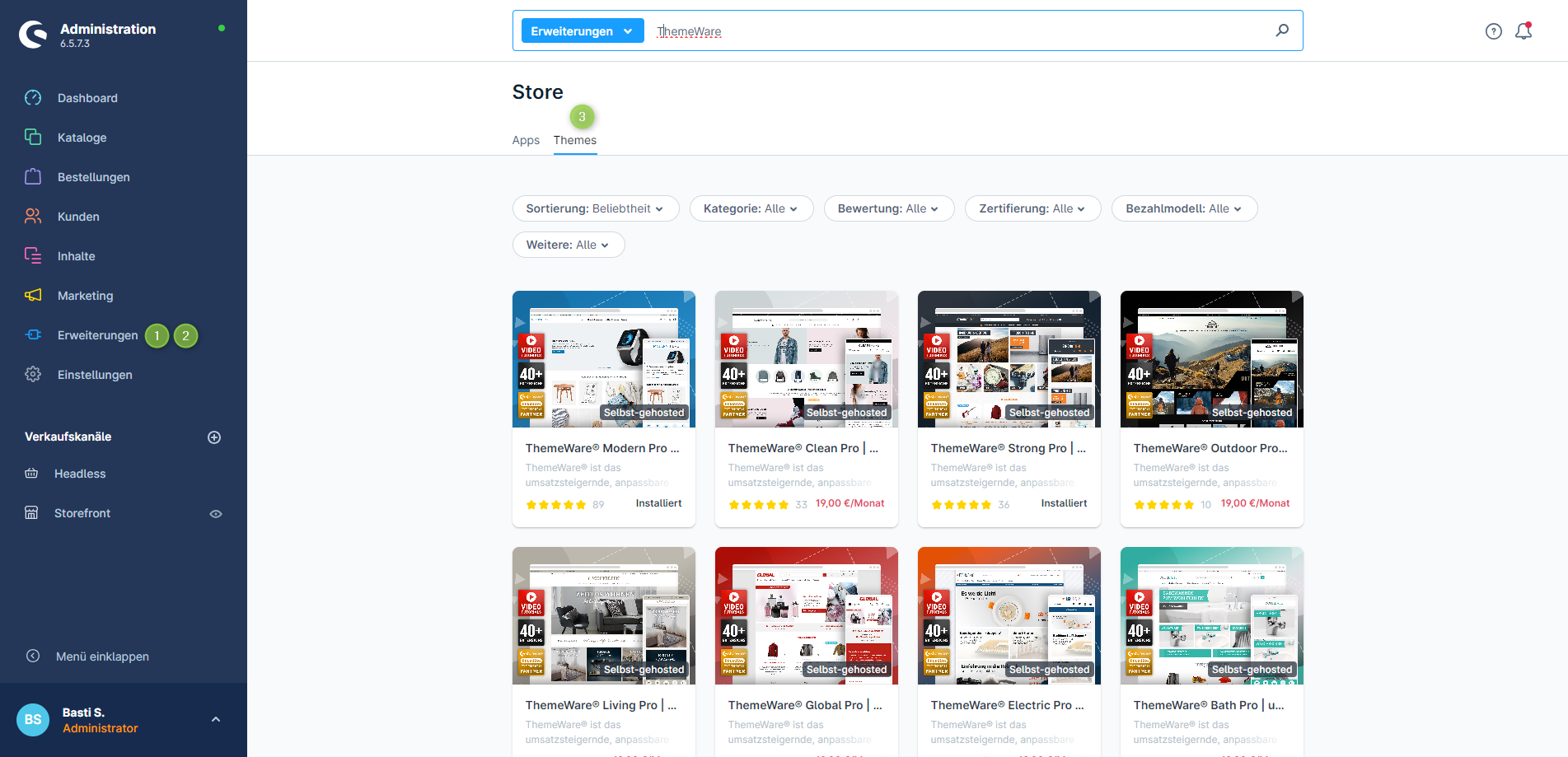
Open Shopware Store

Open your shop administration and navigate to the Store (Extensions → Store). Switch to the Themes tab and search for "ThemeWare".

Shopware Store in administration with ThemeWare themes
2

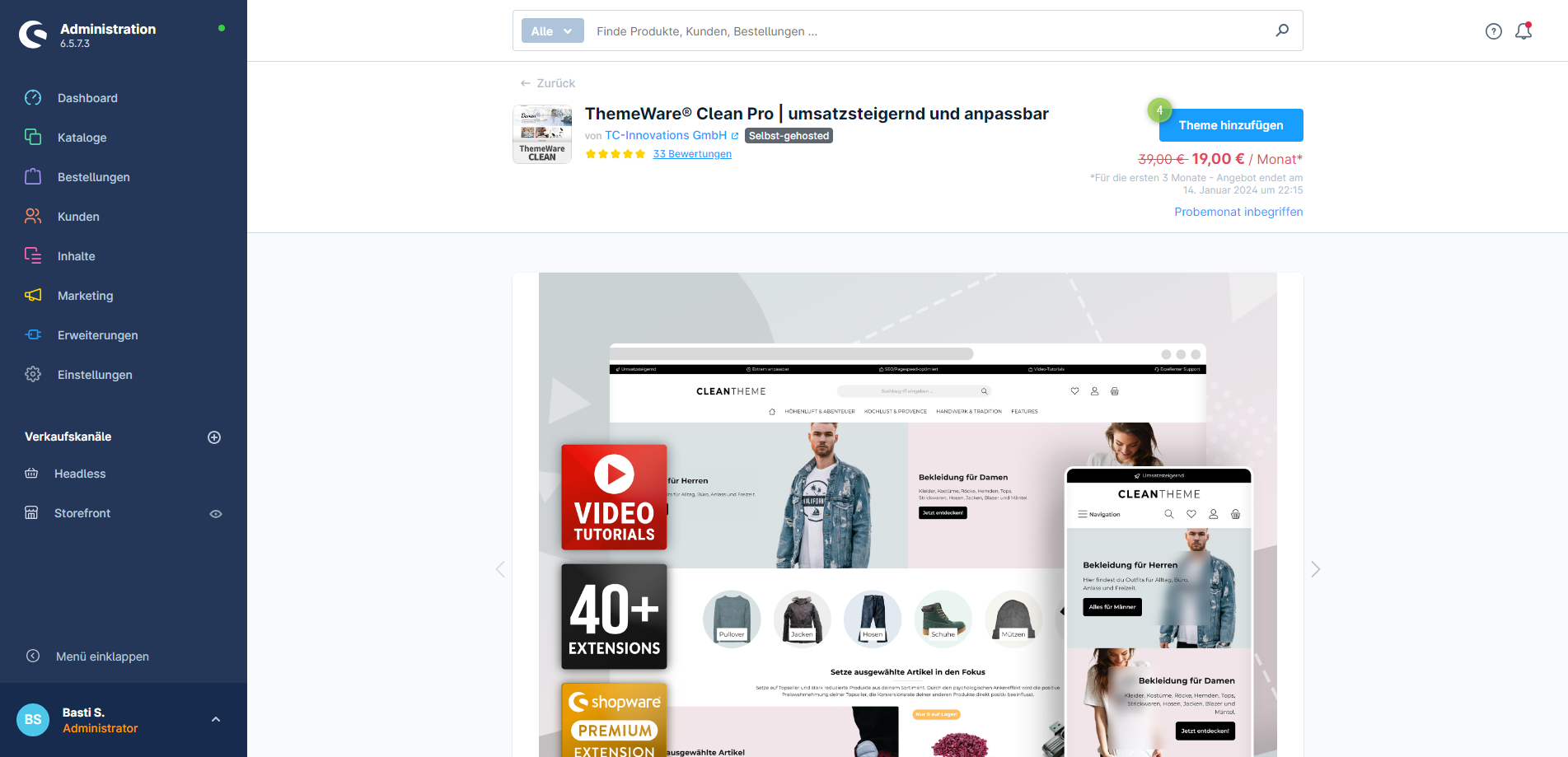
Select theme

Click on the desired ThemeWare® variant. On the detail page you will find all information about the theme. Click "Add theme" to continue.

ThemeWare theme detail page in Shopware Store
3

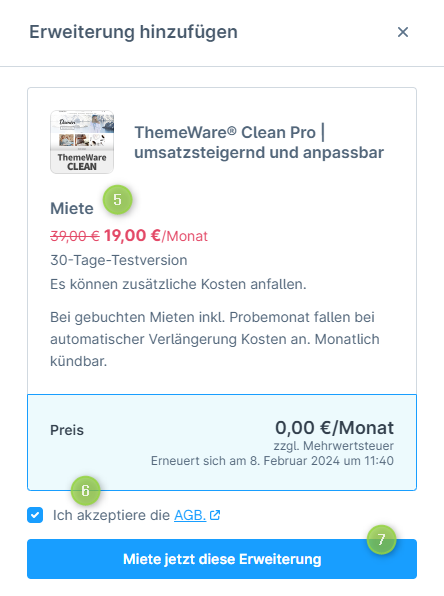
Confirm free trial

In the pop-up you will see all details about costs after the trial month. Accept the terms and confirm with "Rent this extension now". The first month is free.

ThemeWare free trial – confirmation dialog

If you acquire ThemeWare® for a test domain, you can later transfer the license to your live domain via your Shopware account.

What you get in the trial

No feature limit. No stripped-down mode. You test the full ThemeWare® edition — for 30 days.

1,350+ Configurations

Full access to all theme settings for layout, colors, typography and more.

87+ plugin features

All included plugins are active immediately — from SEO tools to badges to CMS elements.

Professional shopping experience

1-click demo installation for an instantly ready professional shopping experience with graphics and storytelling.

Online courses & tutorials

Access to courses worth €327 — SEO, conversion optimization and graphic design.

PageSpeed 100/100

Lighthouse-optimized for maximum performance. SEO-friendly and EAA-compliant out of the box.

Support & knowledge base

Access to the service portal, knowledge base, manual and 24/7 AI support.

Which edition would you like to try?

Both editions can be tested free for 30 days with no obligation. No credit card required.

Most popular choice

ThemeWare® Pro

For Self-Hosted Shops

30 days free then from €49.00/mo.
  • 10 design variants
  • 1,350+ configurations
  • 87+ included plugins
  • All CMS elements & CMS blocks
  • SEO & PageSpeed optimized
  • Accessibility (EAA-compliant)
  • Online courses & video tutorials
  • 1-click demo installation
  • Service portal & support
  • Template-level customizations
Try Pro for free →

Cancel anytime

ThemeWare® Cloud

For Cloud & Self-Managed

30 days free then from €39.00/mo.
  • 1 design variant
  • 1,350+ configurations
  • 75+ included plugins
  • Most CMS blocks
  • SEO & PageSpeed optimized
  • Accessibility (EAA-compliant)
  • Online courses & video tutorials
  • Shopping experience guide
  • Shopware Cloud compatible
  • Service portal & support
Try Cloud for free →

Cancel anytime

Not sure? Compare feature matrix →

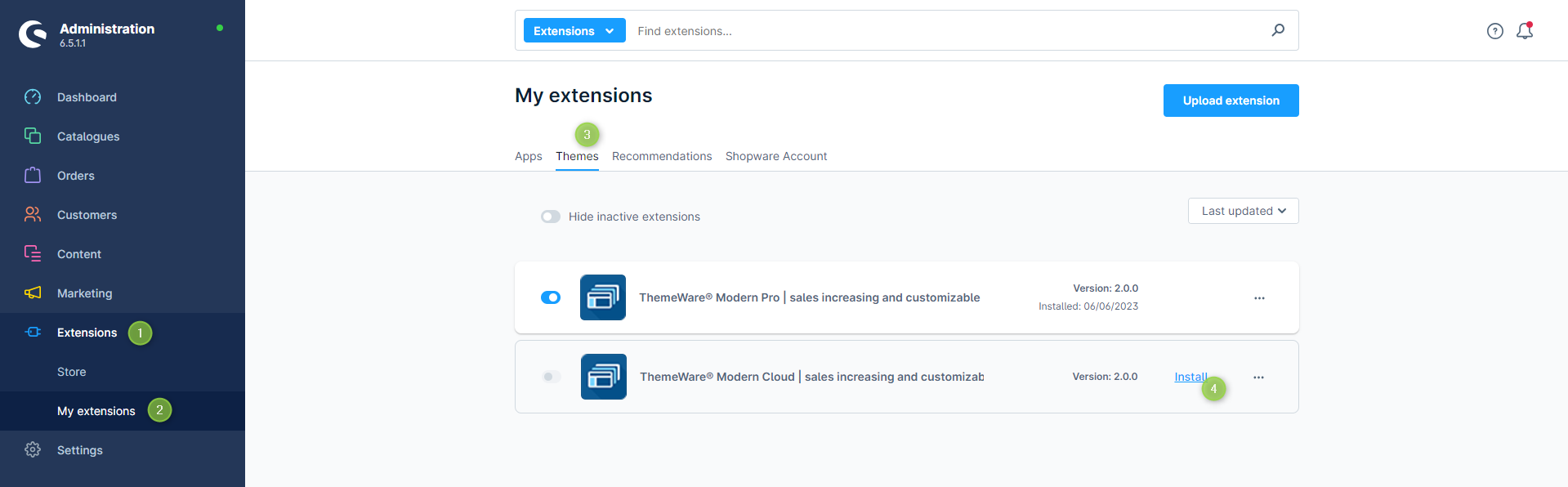
After purchase: Install ThemeWare®

After purchase you will find ThemeWare® in your extension management (Extensions → My Extensions → Themes). Install the theme with one click.

Frequently asked questions about the free trial

Is the trial version really free?

Yes, the first month is completely free. You test the full feature set without any restrictions. After 30 days, the subscription is automatically renewed at the prices shown during booking. You can cancel monthly at any time.

Do I need a credit card?

No. Billing is handled through your Shopware account. No credit card is required.

What happens after 30 days?

After the free trial period, the chosen license is billed through the Shopware Store. You can choose between monthly and yearly payments. The subscription can be cancelled monthly at any time.

Can I start on a test domain?

Yes. If you acquire ThemeWare® for a test domain, you can later transfer the license to your live domain via your Shopware account.

Which edition should I choose?

ThemeWare® Pro is designed for Shopware Self-Hosted and offers the full feature set including template customizations, CMS elements and 10 design variants. ThemeWare® Cloud targets Shopware Cloud & Self-Managed users. Compare both in the feature matrix.

How do I install ThemeWare® after purchase?

After purchase you will find ThemeWare® in your Shopware Administration under "Extensions → My Extensions → Themes". Installation is done with one click. Find our detailed step-by-step guide on our website.

Is there a permanently free version?

There is currently no permanently free version. However, the free trial month gives you plenty of time to test and configure ThemeWare® at your own pace.

Try a Shopware 6 theme for free — here's how

If you want to buy a Shopware 6 theme, you should test it first. ThemeWare® offers a free 30-day trial with the full feature set — no restrictions and no risk. The entire process runs through the official Shopware Store directly in your shop administration. No external registration, no third-party downloads. Whether you want to test a Shopware template for free or use a premium theme right away — getting started is always without obligation.

During the trial phase you have access to all 1,350+ configurations, 87+ plugin features and the professional shopping experience elements. You can fully set up the theme, create your individual design and measure the impact on PageSpeed and conversion in your own shop.

ThemeWare® is the most popular Shopware 6 theme with over 15,000 active installations. The theme is regularly updated and optimized for all current Shopware versions — including EAA accessibility compliance and Google PageSpeed 100/100. Compare ThemeWare® with other Shopware themes and find the right edition for your shop.

Still have questions? Get in touch

Visit our popular Service Portal at service.themeware.design to get the ideal support and all answers to your questions. We are known for our excellent service. Try us!

Service Portal
Got questions?